
Unclog for iPhone
Press kit
Updated November 12, 2026
Unclog helps you review what fills your iPhone’s Photos library. It separates free device space from library size, shows large files on a map drawn to scale, groups similar shots and exact copies, makes supported videos smaller, and converts Live Photos to stills. Measuring, comparison and conversion happen on the iPhone; Unclog does not upload your media to its developer.
Fact sheet
- Name: Unclog. In the App Store, Unclog: Video Compressor, and Unclog: Comprimir video in Spanish.
- Developer: Luis Montoya, an independent developer.
- Platform: iPhone, with iOS 26 or later.
- Languages: English and Spanish.
- Category: Utilities, and Photo & Video.
- Price: free to download. Finding, previewing and deleting the largest files, and finding lookalikes, are free. Making videos smaller is free for the first two videos, and making Live Photos into stills for the first ten; after that, one purchase of US $4.99 unlocks both for good, shared with Family Sharing. No subscription, no ads, no account.
- Release: November 10, 2026, on the App Store.
- Website: getunclog.app, in English and Spanish.
What it does
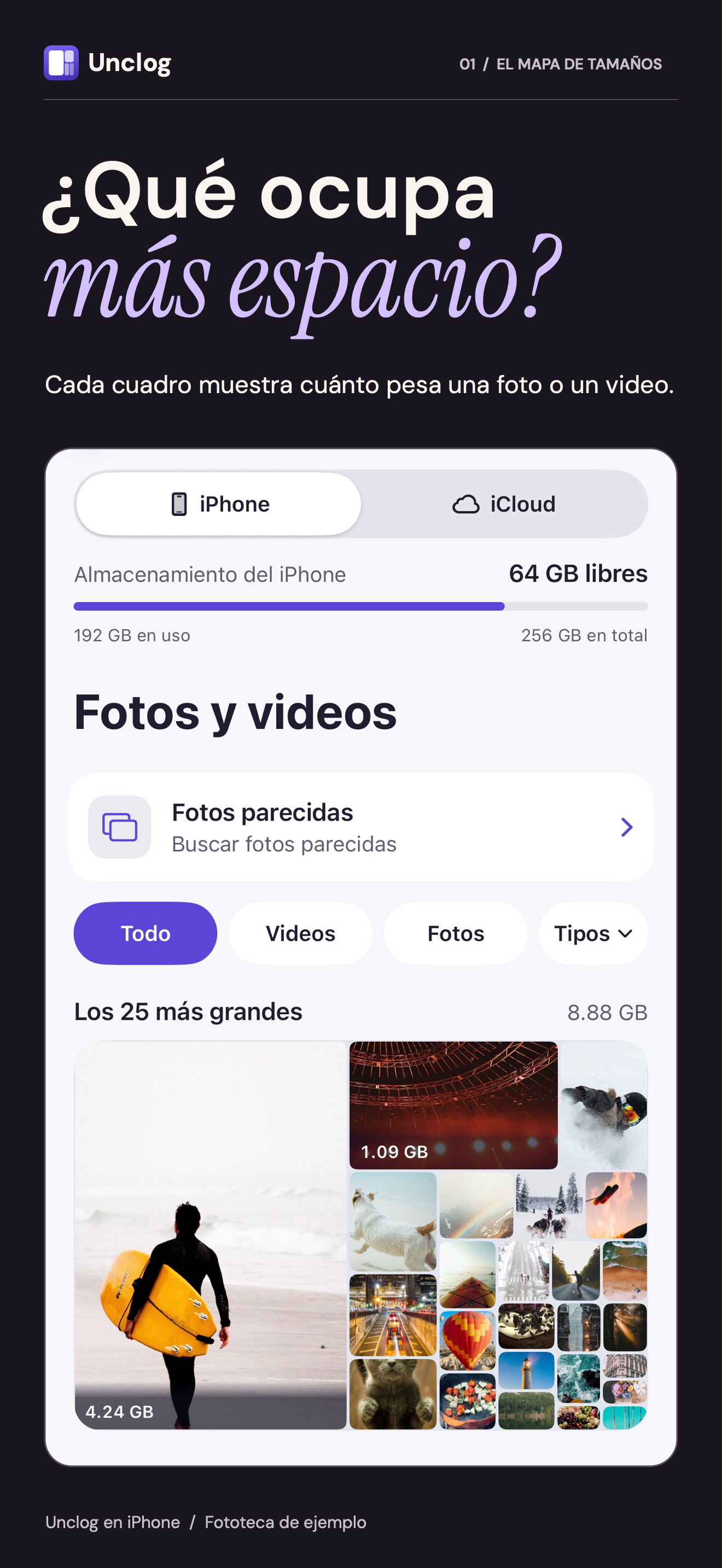
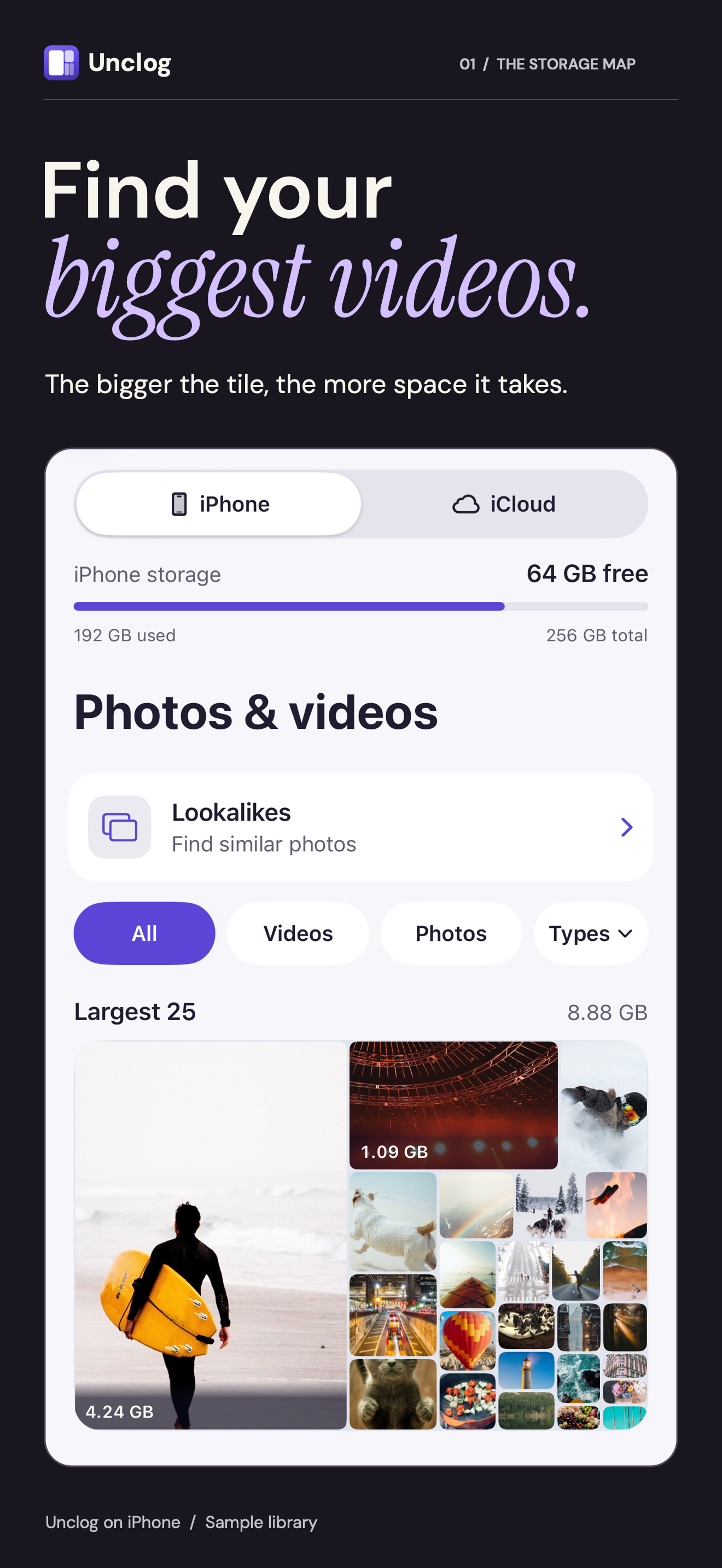
- A size map. The largest photos and videos as tiles drawn to scale, with a ranked list, and filters for screenshots, screen recordings and Live Photos. Each size is measured from the item’s own files.
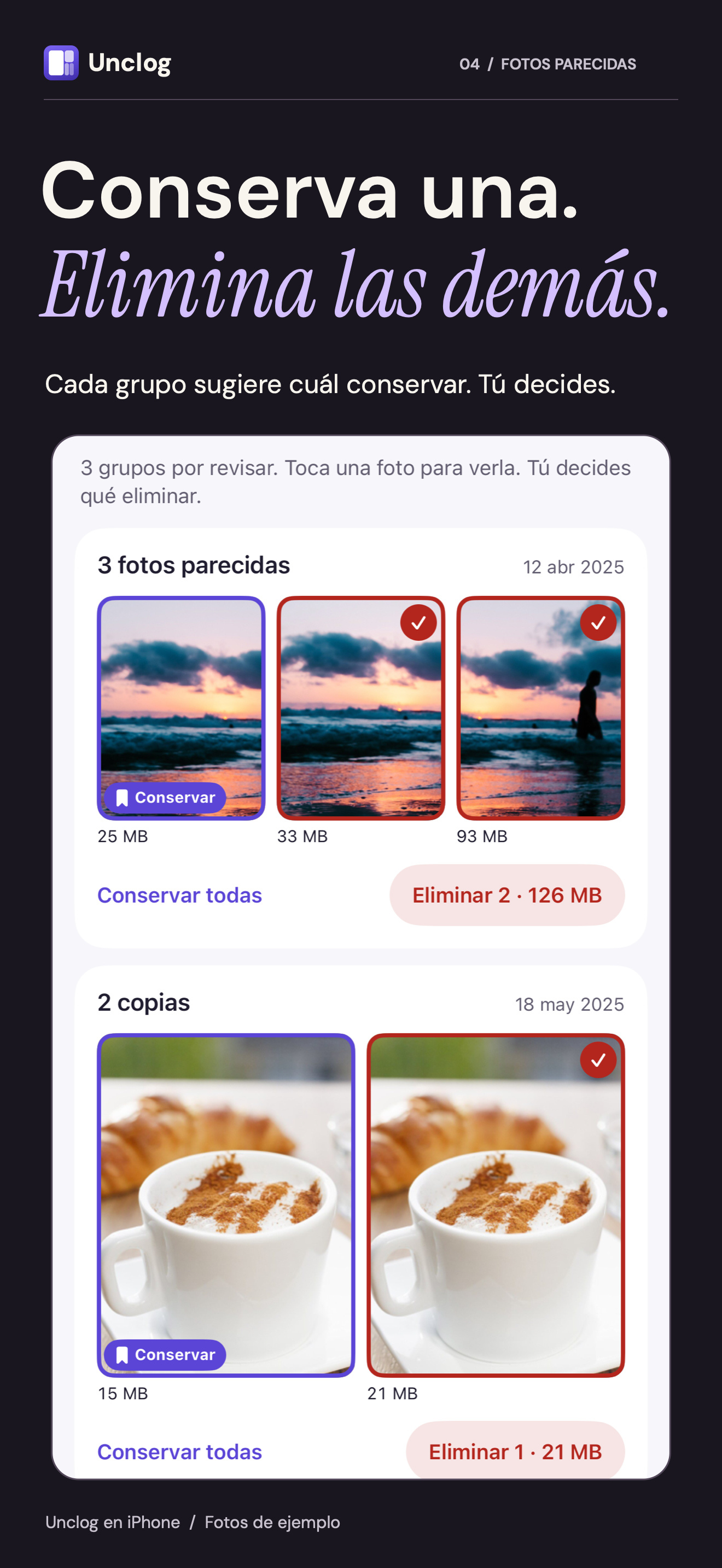
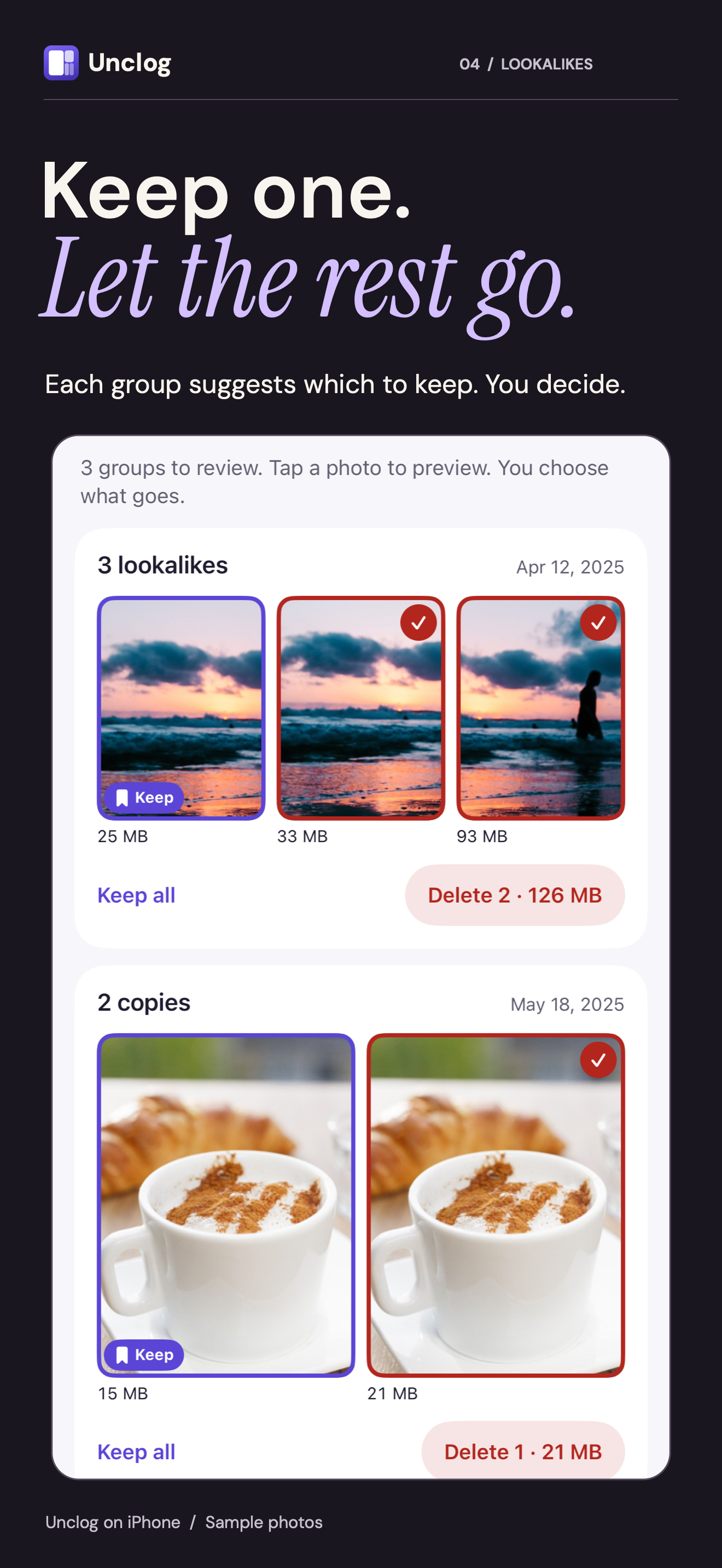
- Lookalikes and copies. Photos taken minutes apart that look alike, and exact copies of photos and videos, in groups with a suggested keeper. Tapping a photo opens its preview; the keeper says Keep, and a circle on each of the others marks it for deleting. The app compares them on the iPhone with Apple’s Vision framework. Photos go one group at a time, by each group’s own Delete, and the app never marks favorites or photos the user rated or edited.
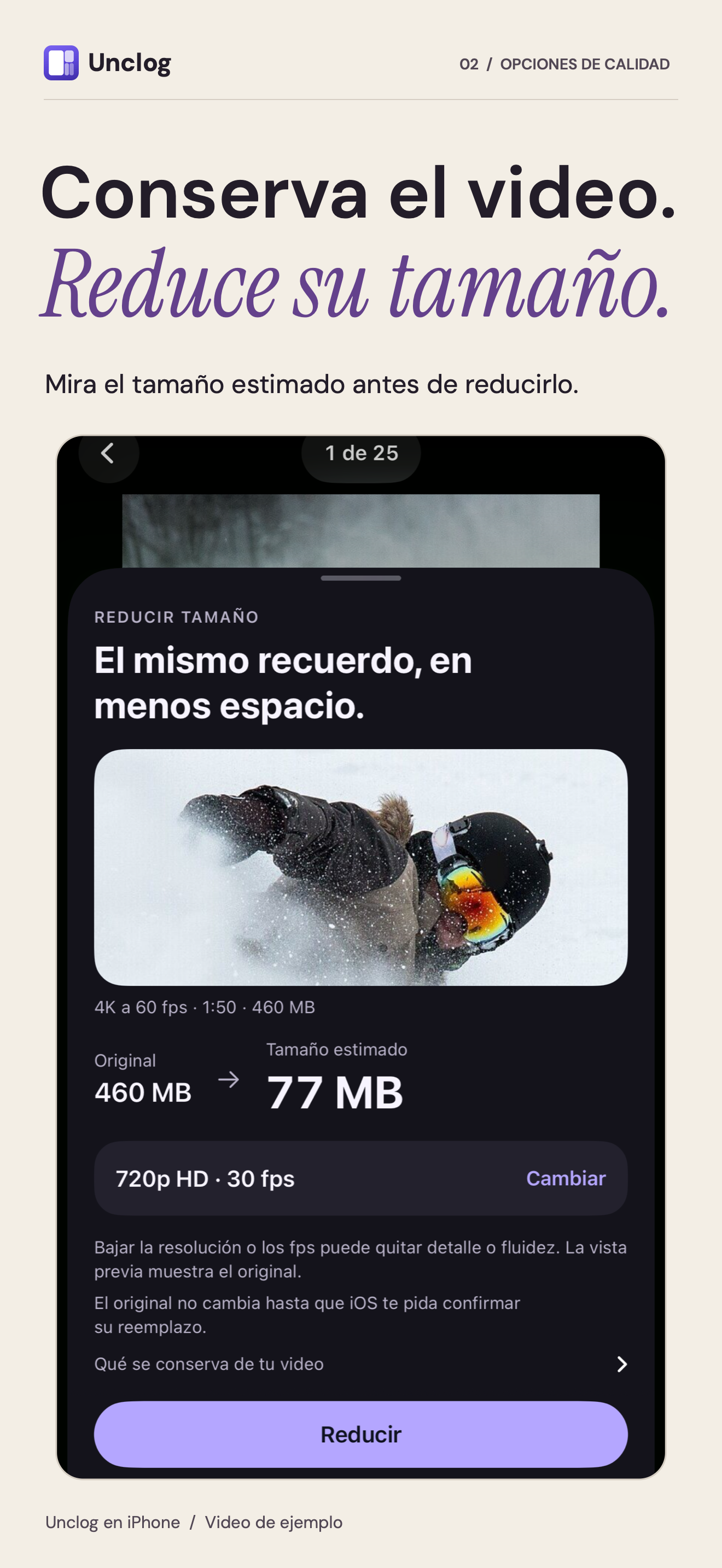
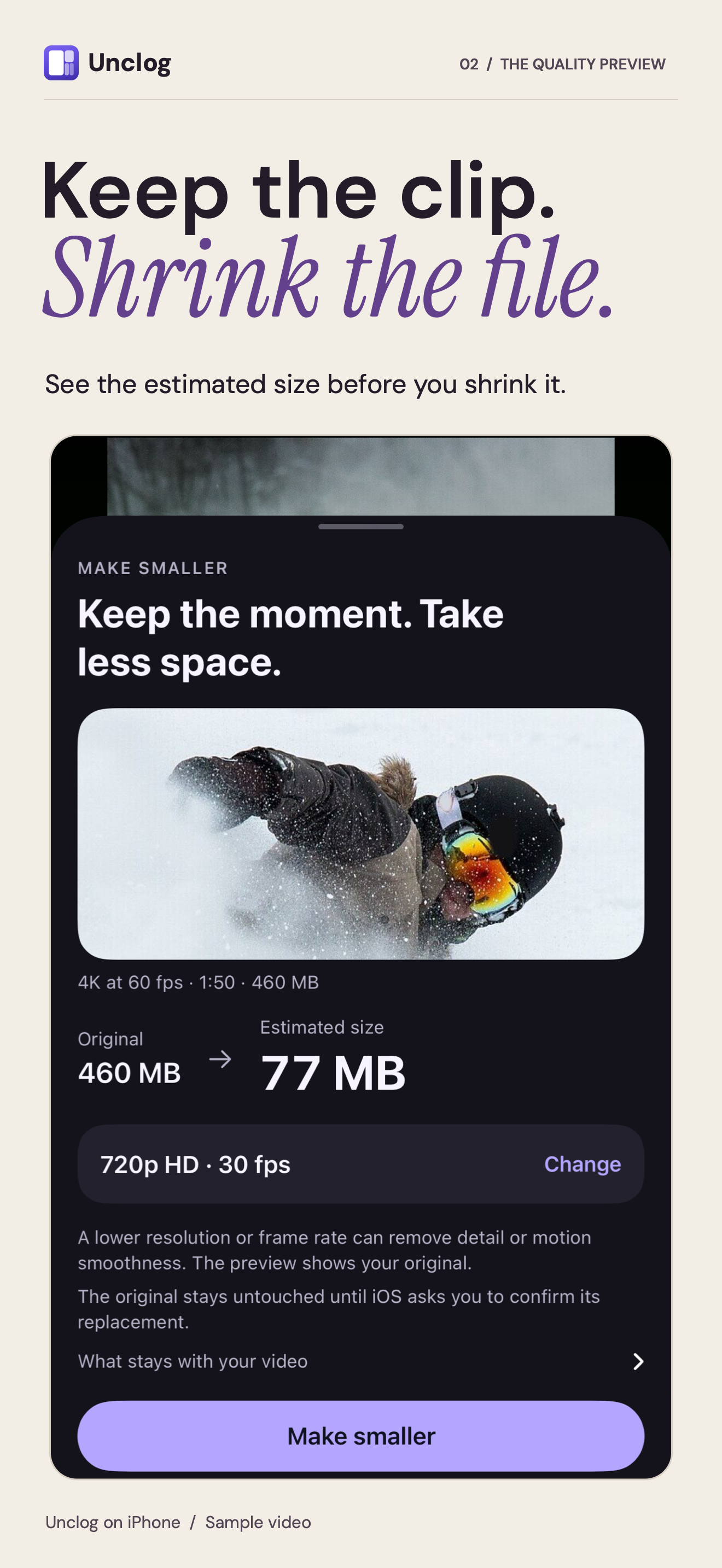
- Make smaller. Writes a video again at a lower resolution or frame rate, in the same format, with the estimated new size shown first. Once written, the smaller video waits for a tap on Replace the original before iOS asks about the original. The new video keeps its sound, date, place and favorite status, and its albums with full photo access. One video, or several at once.
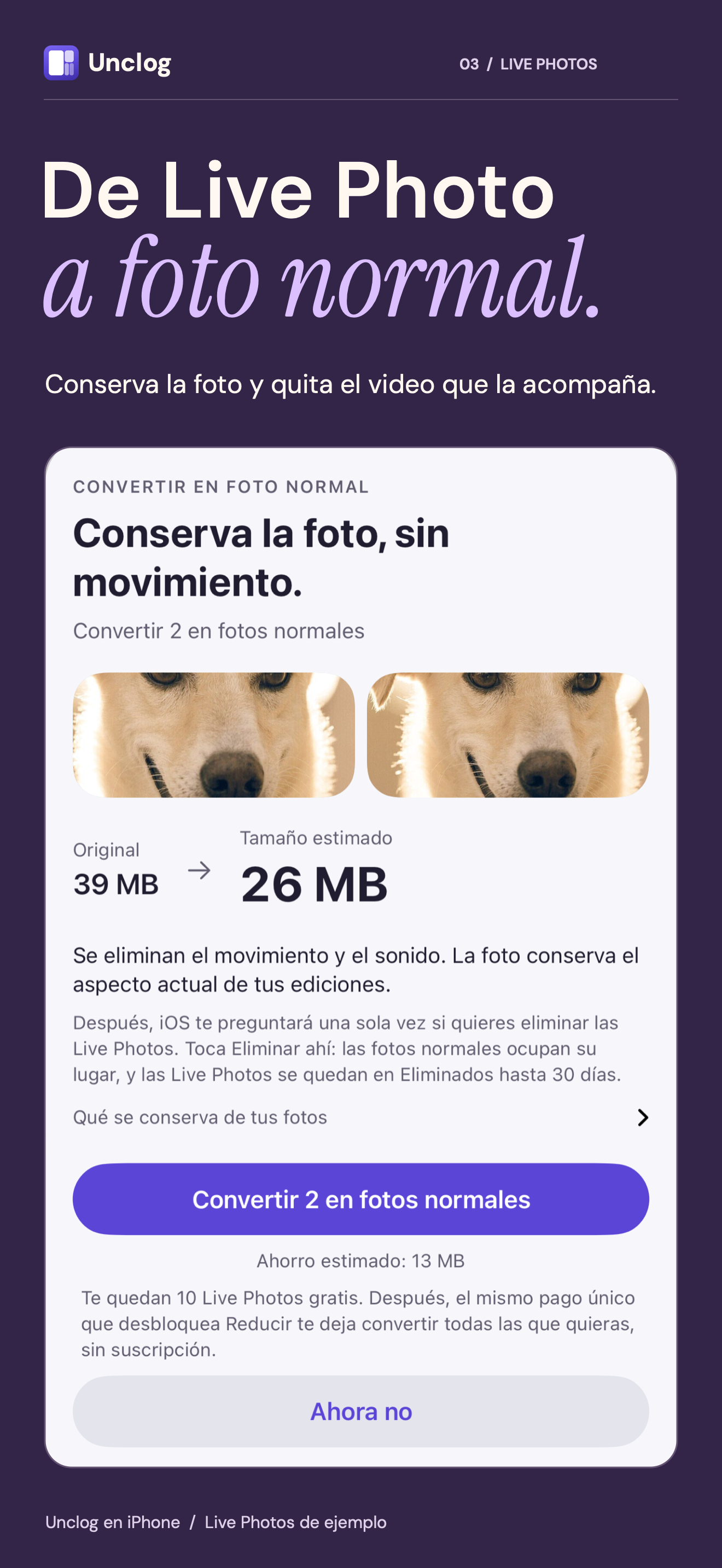
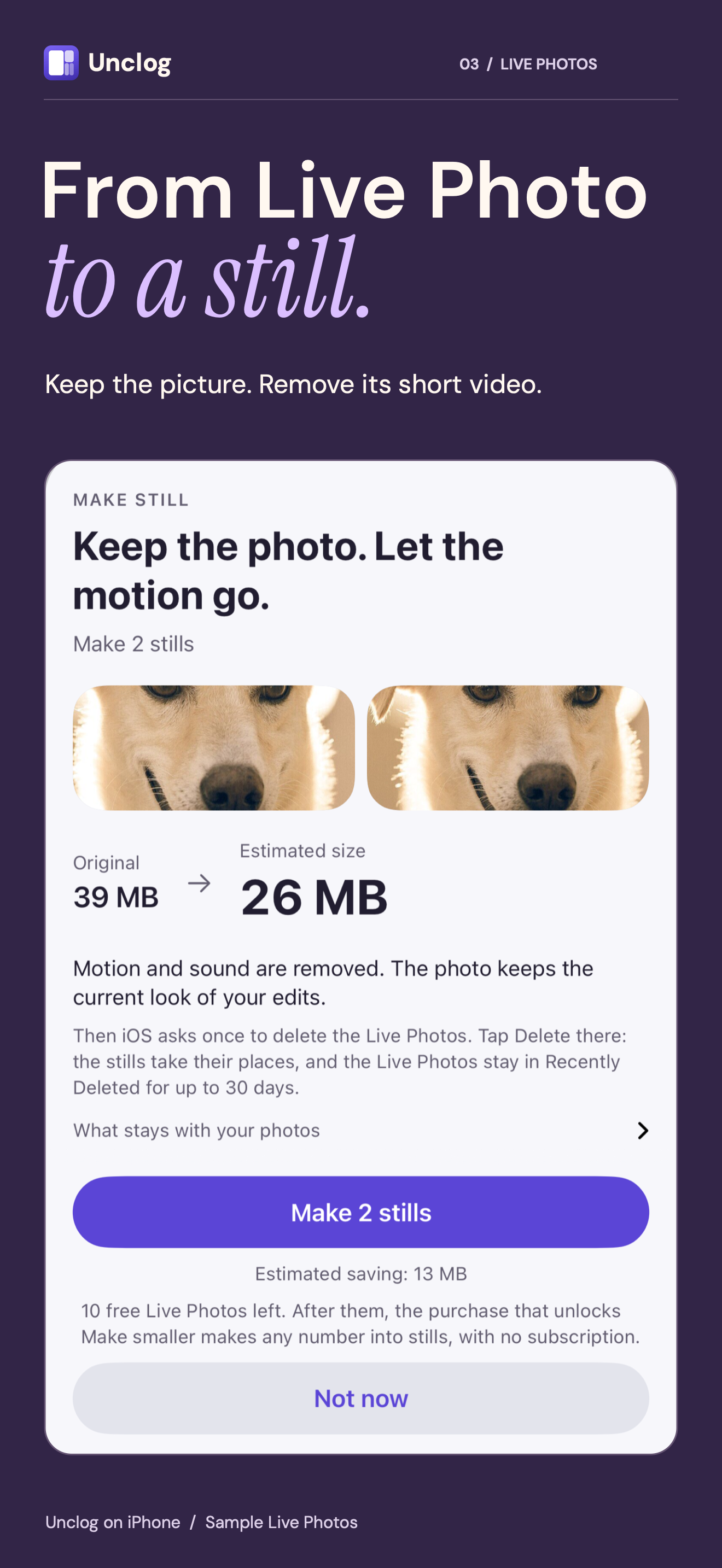
- Make still. Keeps the Live Photo’s picture, date and place, and its albums with full photo access; removes its motion and sound.
- No surprises. iOS asks before anything is deleted or replaced, and originals go to Recently Deleted. The app distinguishes file-size changes from potential space on the iPhone, and directs you to permanently remove only the originals you intend to delete.
One real result
A 5-minute 4K video at 60 fps on the developer’s iPhone went from 4.67 GB to 505 MB at 1080p and 60 fps, about 89% smaller. Results depend on the video and the quality chosen.
Privacy
Photo processing happens on the iPhone, with no account or photo uploads to the developer. After the first library scan finishes, an optional prompt offers Share or Not now for usage statistics and crash reports. Nothing is buffered for later sharing before consent. The About switch can change this choice. Optional reports contain technical device information and random installation identifiers. See the privacy policy.
Images
Free to use when writing about Unclog. The screenshots show version 1.3 with a sample library, whose pictures are public-domain photos.
- Everything in one ZIP, 10.1 MB: the icon and the screenshots in English and Spanish.
- The app icon, a 1024 × 1024 PNG.
- Screenshots in English, 1320 × 2868 PNGs: the size map, Make smaller, Make still and lookalikes.
- Screenshots in Spanish: the size map, Make smaller, Make still and lookalikes.

Contact
Luis Montoya, at luismec90+unclog@gmail.com. Ask for a code that unlocks Make smaller and Make still to review them.
Back to Unclog